For UK groups with several Xero companies, or one company with several sites
Accounts payable automation for multi-company groups on Xero.
This page is the overview: what FINIO does, in the order an invoice meets it. The full feature list is the inventory, every capability with its status, for when you are checking a particular box.
Two copies of the truth
Bring delivery evidence and finance records together.
Operations know what arrived. Finance know what was billed. FINIO reads both and lists every difference before anything posts.
What the site has
The delivery note, signed at the door. What actually came off the van, and what was refused.
Photo capture on site →What finance has
The supplier's invoice, in the inbox. What was billed, at what price, and with which VAT.
Line-item extraction →The workflow
Follow an invoice through the workflow.
01
Capture
Inbox, upload, or a photo taken on site.
Read more →
02
Line-level coding
Every line coded, with the reason why.
Read more →
03
Credit notes
Short deliveries and rejections, handled.
Read more →
04
Statements
Matched against your records automatically.
Read more →
05
Xero sync
Posted, two-way, in real time.
Read more →
06
Group AP tasks
Payments tracked, cross-charges and transfers posted in both ledgers.
Read more →
Most tools stop at stage 05. The accounting close itself, accruals, prepayments, fixed assets and control accounts, is planned; see the roadmap.See the roadmap →
By task
Explore the product by task.
Capture and coding
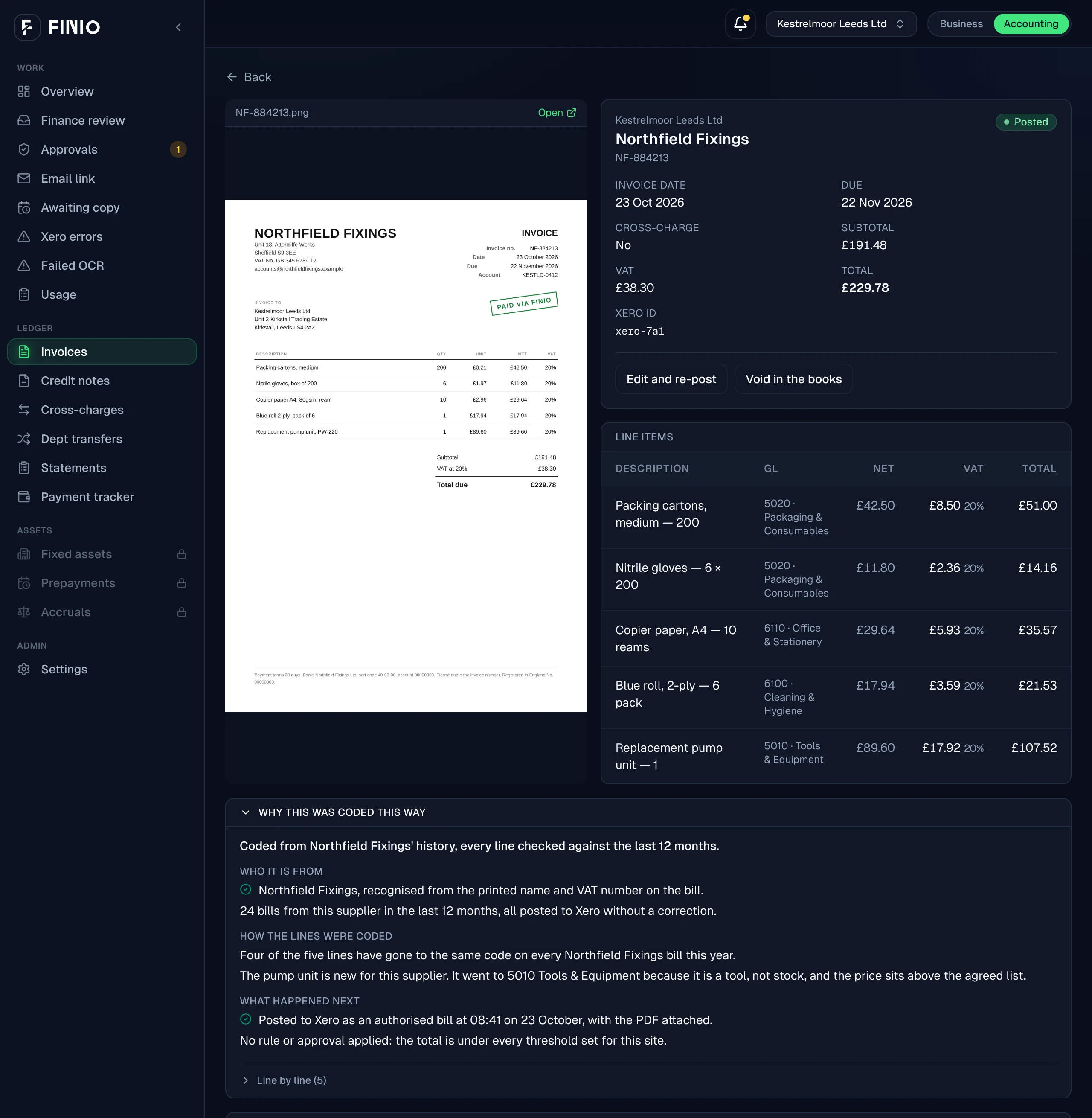
Every invoice read line by line and coded with its reason, whether it arrives in the inbox, as an upload, or as a photo at the door.
ExampleBlue roll, 2-ply → 5005 Cleaning & hygiene. "Cleaning consumable, not stock, so not in cost of sales."
Delivery and invoice matching
The site's copy set against finance's invoice, with every difference listed before anything posts. Orders are optional; when there is one, it is checked too.
Example10 ordered, 8 received, invoiced for 10. Held, with the difference shown.
Statements and credits
Supplier statements matched against the ledger and the missing invoices chased. Credits tracked to the shortage they settle.
ExampleOne statement: four lines matched, one invoice missing in Xero, the chasing email drafted.
Group AP tasks
Where every payment stands, cross-charges posted in both companies' Xero files, and costs moved between departments with an approval behind each move.
ExampleLeeds to Bristol, scissor lift hire, £285.00. Posted in both ledgers.
Capture and coding
Capture and coding
Every invoice read line by line and coded with its reason, whether it arrives in the inbox, as an upload, or as a photo at the door.
ExampleBlue roll, 2-ply → 5005 Cleaning & hygiene. "Cleaning consumable, not stock, so not in cost of sales."
Delivery and invoice matching
Delivery and invoice matching
The site's copy set against finance's invoice, with every difference listed before anything posts. Orders are optional; when there is one, it is checked too.
Example10 ordered, 8 received, invoiced for 10. Held, with the difference shown.
Statements and credits
Statements and credits
Supplier statements matched against the ledger and the missing invoices chased. Credits tracked to the shortage they settle.
ExampleOne statement: four lines matched, one invoice missing in Xero, the chasing email drafted.
Group AP tasks
Group AP tasks
Where every payment stands, cross-charges posted in both companies' Xero files, and costs moved between departments with an approval behind each move.
ExampleLeeds to Bristol, scissor lift hire, £285.00. Posted in both ledgers.
Honestly labelled
What works today and what is planned.
15 capabilities are live. 7 are planned, and labelled as planned wherever they appear. Reviewed 2026-10-27.
- Planned
Ordinary supplier-bill approvals
Routing every supplier bill for approval before it posts. The approval loop exists for cross-charges and transfers today; keep your existing approval tool for ordinary bills until this ships.
- Planned
Paying suppliers from FINIO
FINIO shows what is ready to pay. The bank still makes the payment.
- Planned
Till (POS) sales feeds
Square, Zettle, Lightspeed and EPOS Now. Until then site managers enter sales by hand.
- Planned
Prepayments
Schedules built, released and posted on time.
- Planned
Fixed assets and depreciation
The register and the runs, maintained.
- Planned
Accruals
Raised and reversed on schedule.
- Planned
Control account reconciliations
Suspense, VAT and clearing kept clean.
In the product
See the product on an example.
Next